The entire process of building a website using Vibe Coding (no-code) took just half a day, involving pure dialogue: I provided requirements to Claude → AI wrote the code → I gave feedback → AI updated the code, resulting in over 20 iterations to complete the MVP. This experiment not only validated the feasibility of building a website with “human + AI” but also explored a new topic in GEO (Generative Engine Optimization): how to ensure AI accurately understands and recommends your identity and content.
Previously, building a website was a hassle. Communicating with freelancers was exhausting, and using templates often resulted in unsatisfactory outcomes.
Now, with AI, I launched a website without writing a single line of code or using a template.
From buying the domain to publishing, it took only half a day!

The entire process was straightforward:
I provided ideas and logic → AI wrote the code → I took screenshots for modifications → AI updated the code.
After several rounds of revisions, I ended up with a presentable MVP website.
Note: To quickly validate the no-code website building process, I used an overseas hosting solution. Websites intended for formal commercial operations in the domestic market need to be registered locally.
Here’s how I turned gtmstar.com from an idea into reality:
1. Clarify Key Points Before Getting Started
- Audience: Tech entrepreneurs, product managers, marketers…
- Their Needs: Tips, case studies, training, outsourcing services in GTM.
- Core Value: Summarizing GTM insights, empowering practitioners, professional services, networking…
- Differentiation: Methodology, practical cases, and knowledge accumulation.
After answering these four strategic questions, I wrote the copy for each section and had AI polish it. I also planned the website’s layout, color scheme, and style.
2. Building a Website with No Code
Step 1: Let Claude Write the Code
You can prompt Claude with the following:
Help me generate a single-page HTML file for a website.
Website Name: [Name]/ Positioning: [One sentence]/ Navigation: [Section 1/2/3]
Main Title: [English]/ Subtitle: [Chinese]
Font: DM Serif Display + Noto Serif SC + Syne
Brand Color: [Color Code]/ Background: Warm Beige
Style: Clean and professional, text on the left, dark card on the right, with a Newsletter entry at the bottom.
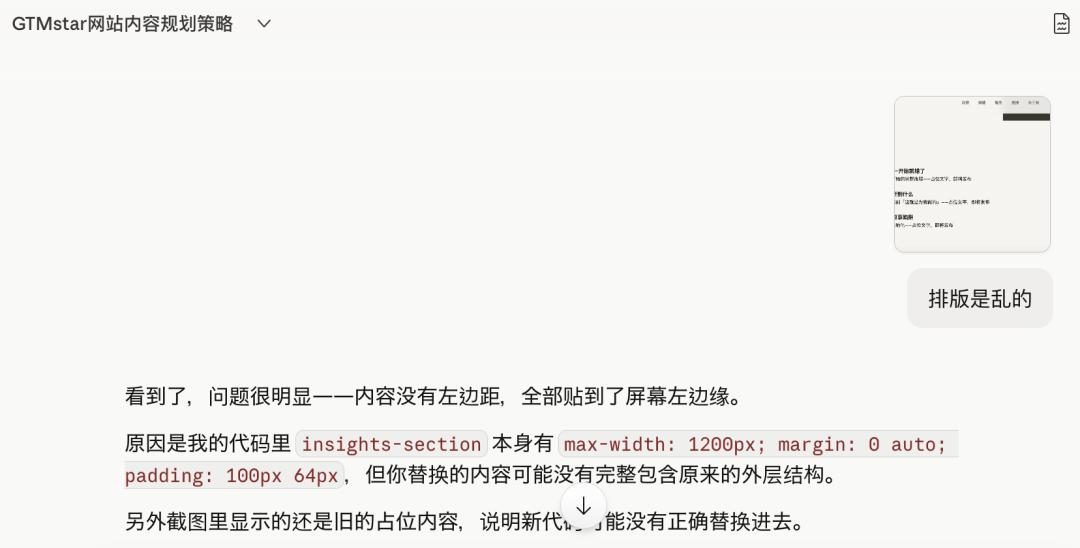
When the first version of the code came out, I was honestly quite excited; it was a small achievement, even though it was not perfect.
Next, I took screenshots, marked the areas that needed changes, and sent them back for revisions.
After many rounds of back and forth, I saved the HTML file, even though it wasn’t perfect yet.
Step 2: Purchase a Domain
I used a landing page service, but you can also use Alibaba Cloud, Wanwang, or Volcano Engine…
The principle was to aim for a .com domain that is memorable and costs under 150 RMB.
I initially wanted something simple with “gtm” and tried over twenty options. Suddenly, I thought of “North Star Metric” and found that gtmstar was available for registration. Without hesitation, I paid for it.
I also bought hannipeng.com for my personal brand website.
Step 3: Host the File in the Cloud
I asked Claude about the technical routes for going live and chose GitHub + Vercel for ease of modification and testing.
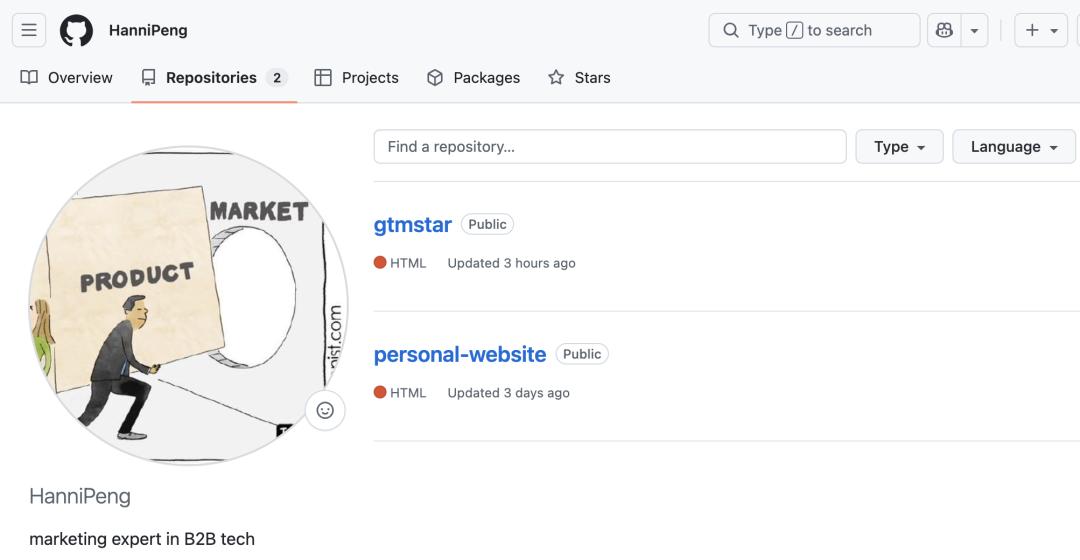
I registered for a GitHub account, created a public repository named gtmstar, and dragged the index.html file into the uploading area, clicking Commit changes to save it to the cloud.
Step 4: One-Click Deployment
I opened vercel.com and authorized login with my GitHub account.
Claude guided me step by step to Add New Project, import it into the gtmstar GitHub repository, and finally Deploy.
After about 30 seconds, I saw the Congratulations! message, indicating success.
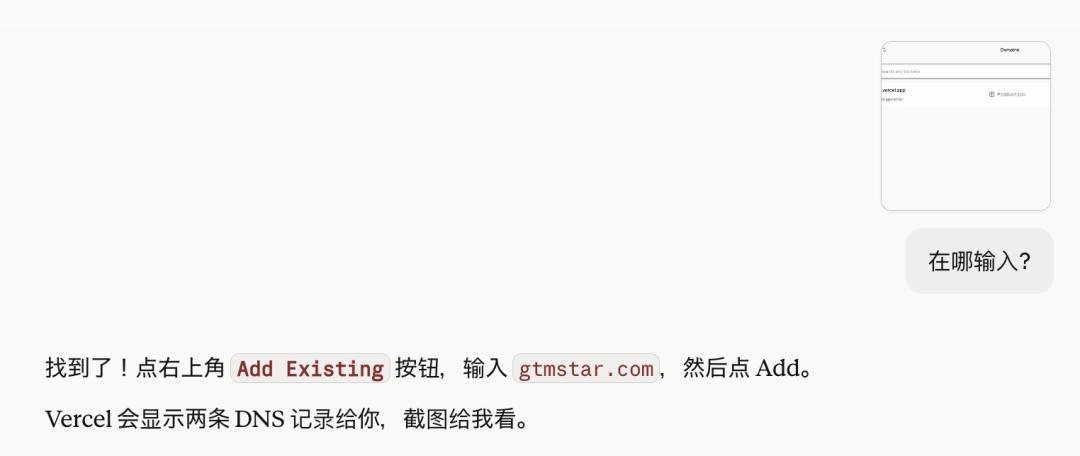
Then, I returned to the domain site and filled in the IP address and alias from Vercel into the DNS settings.
This step can be a bit confusing for those without a technical background; I solved it by taking screenshots and asking Claude for guidance on each step.
After a few minutes, the website was live!
Step 5: Basic SEO/GEO Settings
This step is often overlooked but is crucial for future search and AI recommendations.
I directly asked Claude, “How can I make my website visible to AI?”
It helped me generate a standard sitemap.xml file and a robots.txt file that allows all major AI crawlers to access it.
I then uploaded these files to the root directory of GitHub, alongside index.html.
Next, I registered with Google Search Console and submitted my sitemap link under the “Sitemaps” section in the left menu.
This step informs AI tools like ChatGPT, Claude, and Perplexity that they can freely crawl my website content.
3. Advanced Operations and Common Issues
Building the website is just the first step; ongoing maintenance is necessary. Here are a few adjustments I made after launching the site:
-
How to Continuously Update Website Content: Simply click to edit index.html on the GitHub web interface, modify the text, and save.
-
Using Third-Party Tools to Save Time: Dynamic Resource Library: I chose Notion as my content base and added a redirect link in index.html (currently just starting to accumulate content, with plans for future updates).
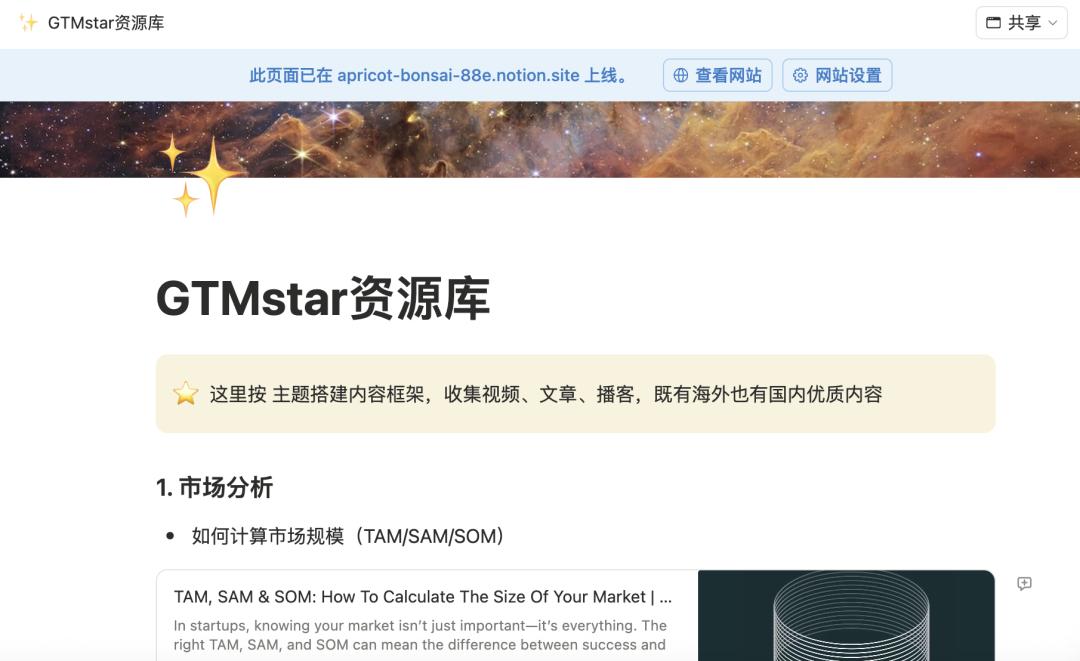 Content Accumulation: I tried Substack for blogging, which includes newsletter subscription management. WeChat public accounts can also be used, but each time requires backend code changes, and I must remember to update the website after posting.
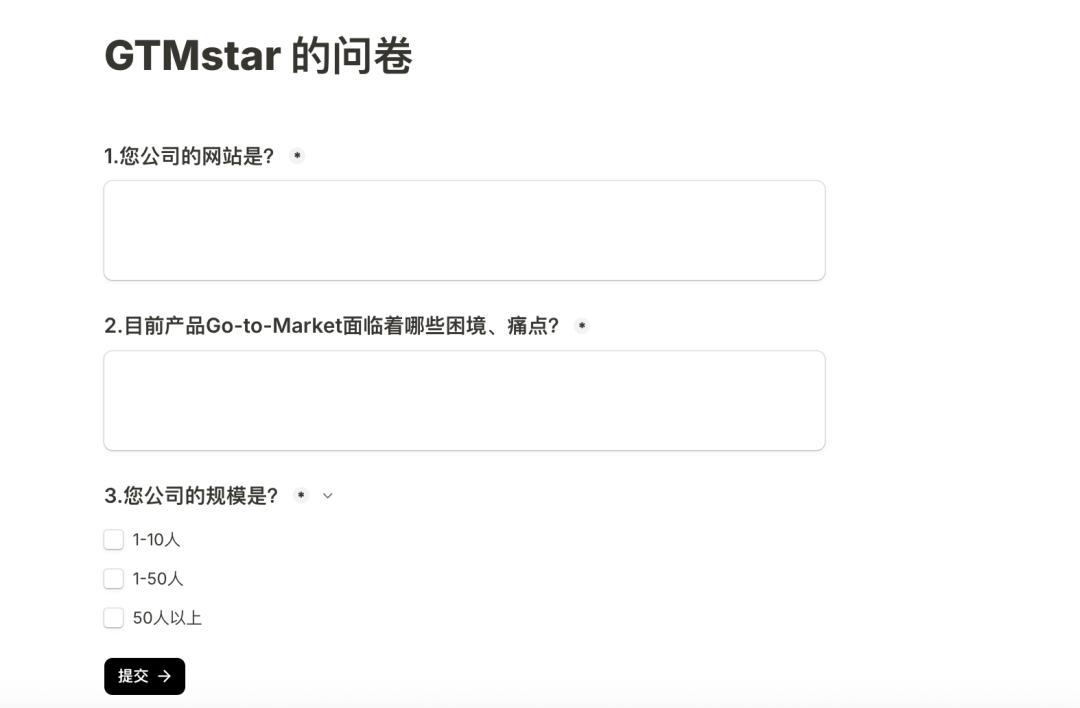
Lead Filtering: Instead of directly placing my WeChat number behind the “Free Appointment Communication” button, I integrated a minimalist Tally form. This allows potential clients to fill out three core business questions, helping me understand client information before communication, which is very efficient.
4. GEO Testing Experiment
Building this website was also a small growth experiment initiated by me.
Traditional SEO focuses on “how to be found in searches,” but in the era of large models, I am more concerned with GEO (Generative Engine Optimization) — “how to be accurately understood and recommended by AI.”
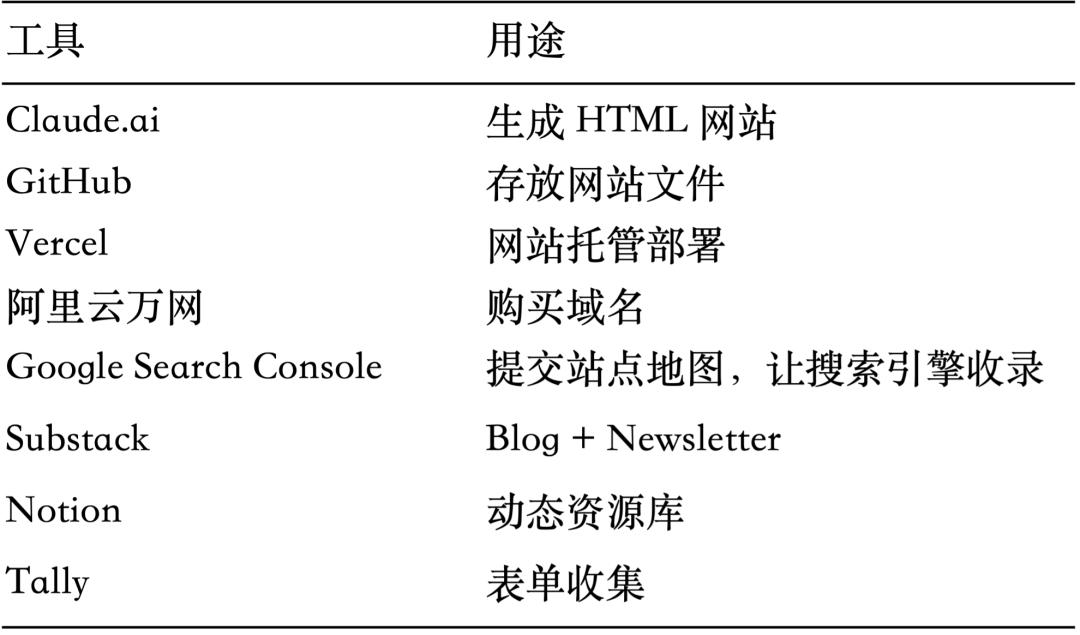
Here’s a list of the tools used in building the site:
Comments
Discussion is powered by Giscus (GitHub Discussions). Add
repo,repoID,category, andcategoryIDunder[params.comments.giscus]inhugo.tomlusing the values from the Giscus setup tool.