Introduction
On May 16, 2025, OpenAI officially launched Codex, its most powerful cloud-based software engineering AI agent, which is expected to reshape the efficiency and division of labor in software development.
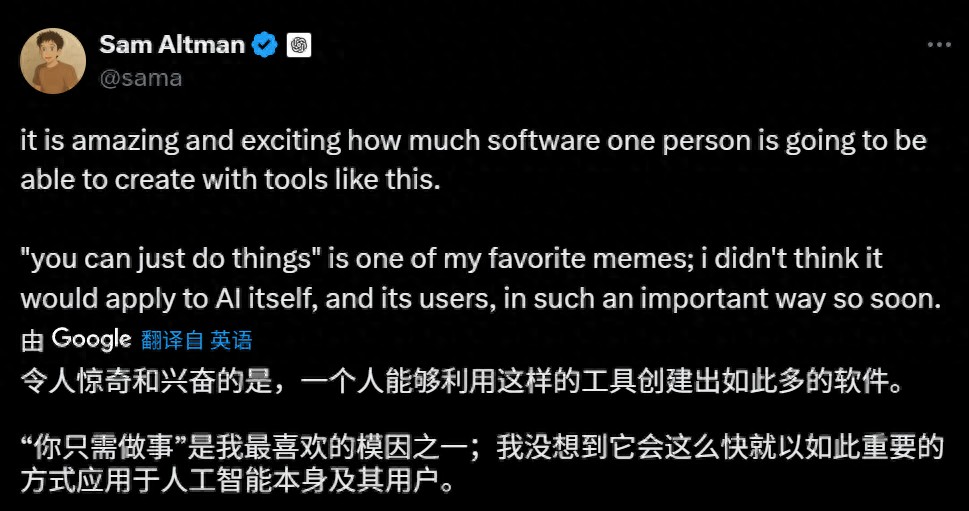
According to OpenAI CEO Sam Altman, Codex allows developers to focus on what they want to do while creating various software applications.
Features of Codex
Currently, Codex is integrated with ChatGPT and is available to Pro, Team, and Enterprise users, with plans to support Plus and Edu users soon. It is important to note that Codex has high requirements for computing resources and security isolation, so it primarily runs on OpenAI’s cloud platform and does not support local deployment.
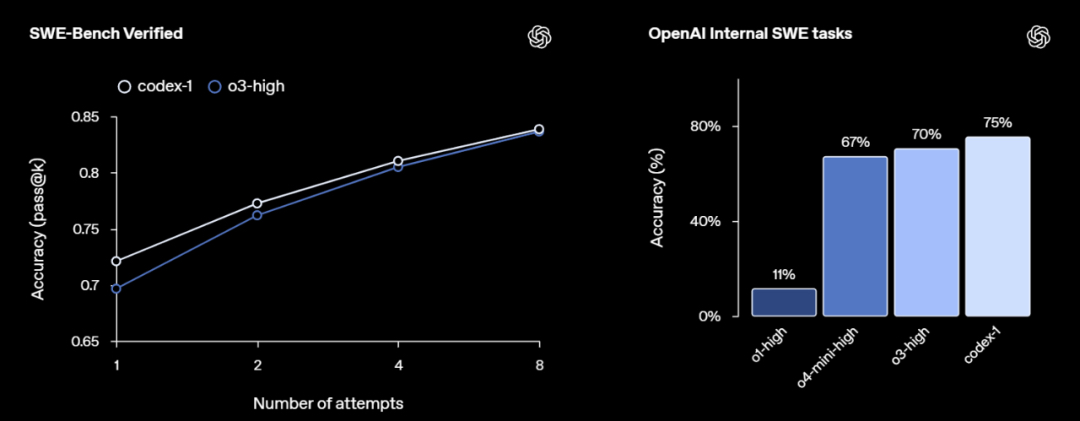
Codex is powered by the codex-1 model, specifically optimized for software engineering, built on the o3 AI inference model. Compared to the standard o3 model, codex-1 generates cleaner code, adheres more accurately to instructions, and can iteratively run tests until the desired results are achieved.
OpenAI product team member Alexander Embiricos stated, “We are about to experience a significant shift in how developers are accelerated by AI assistants.” This shift is not just about increasing productivity but fundamentally transforming the way software development is conducted.
Unlike traditional AI coding assistants like GitHub Copilot, Codex is not merely a “code completion tool”; it is a complete task execution agent. It can proactively analyze user requirements, invoke necessary code, terminal commands, and even run tests and submit Pull Requests, liberating developers from repetitive tasks.
OpenAI emphasizes that Codex was designed from the outset to be a “truly usable automation engineering assistant” that not only generates syntactically correct code but also navigates file structures, executes builds, and testing tasks in complex projects, truly participating in all stages of the software lifecycle.

Operating Environment
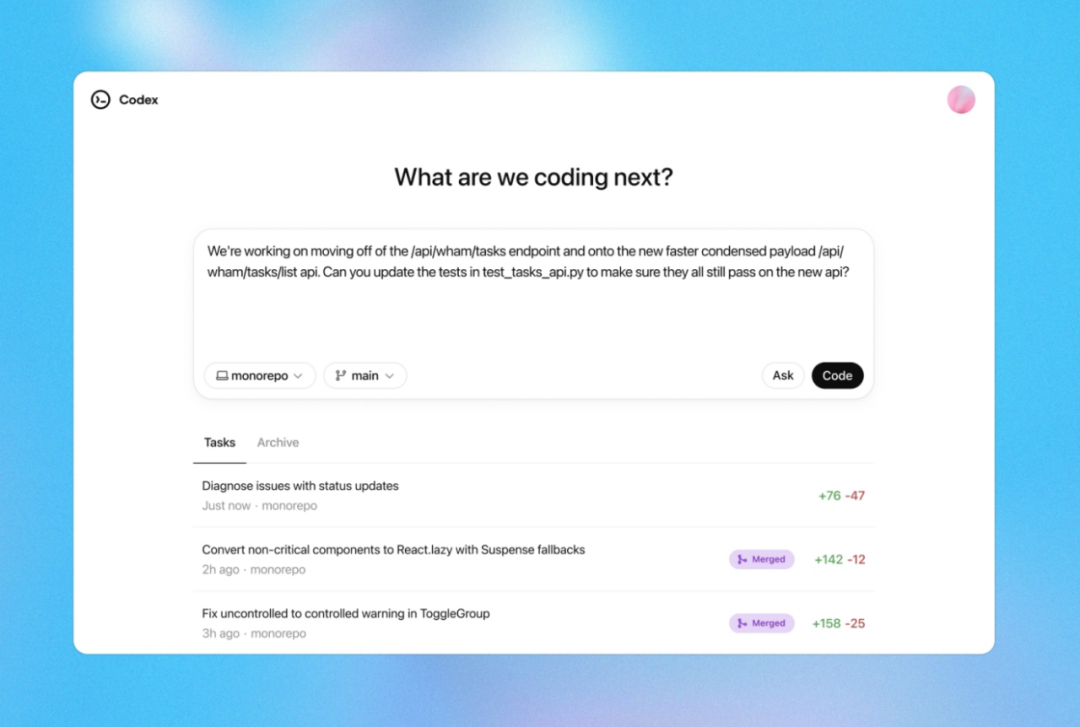
Codex runs in a sandboxed cloud virtual machine and can preload code repositories by connecting with GitHub. Users can access Codex through the ChatGPT sidebar by entering prompts and clicking the Code button to schedule new coding tasks or clicking the Ask button to inquire about the codebase.
Each task runs in an isolated, sandboxed cloud environment, allowing Codex to access the entire codebase, including code files, documentation, and configuration files, and it has permission to run shell commands. This mechanism provides Codex with a “developer-like” working environment, enabling a closed loop from problem analysis, code modification, to test execution and result feedback.
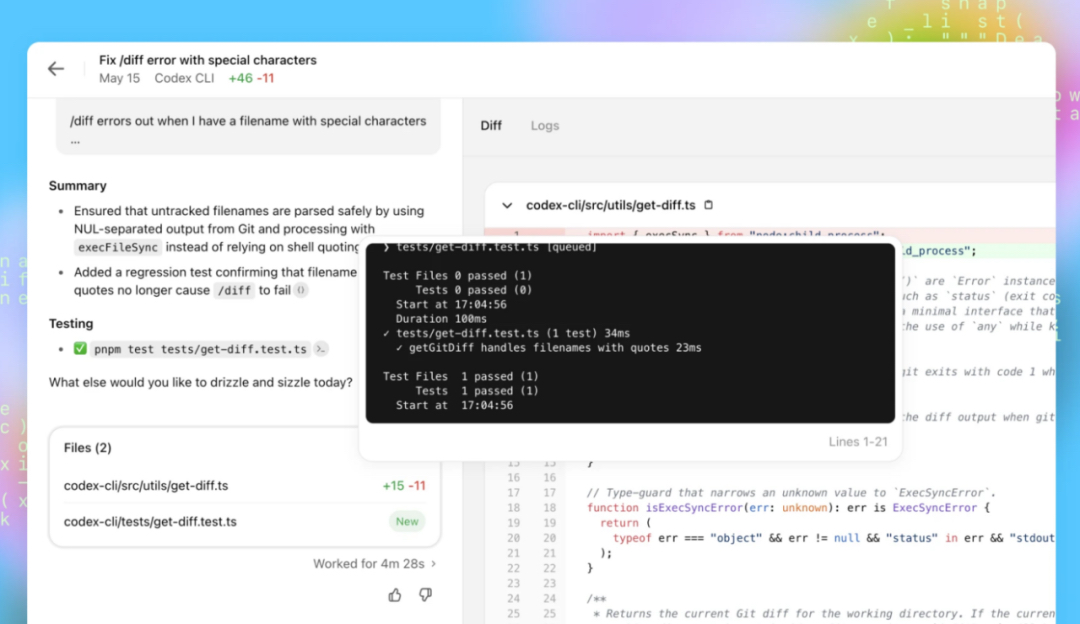
When Codex receives a task, it executes a series of operations in the background, including finding relevant code, modifying files, running test suites, and displaying results (including code diffs, terminal outputs, logs, etc.) to the user upon task completion. The entire process is automated, requiring no manual intervention from the user. Depending on the complexity of the task, completion times typically range from 1 to 30 minutes, and users can monitor Codex’s progress in real-time.
To better adapt to project environments, users can add a file named AGENTS.md in the code repository to provide Codex with various customization instructions, including how to run tests, naming conventions to follow, and dependency considerations, similar to a work guide.
Codex can perform multiple software engineering tasks simultaneously without restricting the user’s use of their computer and browser. However, during task execution, Codex cannot access the internet, and interactions are limited to the code explicitly provided through the GitHub repository and pre-installed dependencies configured by the user.
When faced with uncertainties or test failures, Codex will report these issues to the user for decision-making. To prevent misuse, Codex has been specially trained to recognize and accurately refuse requests aimed at developing malicious software.
OpenAI’s internal tech team has already begun using Codex as a common tool. Engineers primarily use it to perform repetitive, well-defined tasks such as refactoring, renaming, and writing tests. It is also suitable for building new features, connecting components, fixing bugs, and drafting documentation.
Future Plans
OpenAI emphasizes that Codex is just the beginning of its vision for programming agents. In the future, they plan to integrate it with more upstream and downstream tools, including version control platforms (GitHub), cloud platforms (Vercel, AWS), and testing platforms (CircleCI), further developing an AI-driven end-to-end DevOps system.
As the popularity of AI programming tools continues to rise, Vibe Coding (where developers express programming needs in natural language to large models that generate code) is rapidly gaining traction, with tech companies racing to establish their presence in this space.
In February of this year, Anthropic released its own coding agent tool, Claude Code. In April, Google updated its AI coding assistant, Gemini Code Assist, enhancing its capabilities.
This has made AI coding companies some of the fastest-growing in the tech sector. Cursor, one of the most popular AI coding tools, reportedly reached an annual revenue of about $300 million in April and is rumored to be raising funds at a valuation of $9 billion.
Now, OpenAI has joined the fray, not only launching Codex but also preparing to invest $3 billion to acquire the AI programming startup Windsurf.
The transformation in the software development field may just be beginning.
Comments
Discussion is powered by Giscus (GitHub Discussions). Add
repo,repoID,category, andcategoryIDunder[params.comments.giscus]inhugo.tomlusing the values from the Giscus setup tool.